
All your spaces and tools, in a clearer interface
Over the past few months, we’ve evolved the platform to show everything Biron does for your data.
Biron goes beyond your dashboards: it builds a reliable, documented, ready-to-use data infrastructure for every company, which you can also use in your spreadsheets, your business tools or your AI assistant.
This release brings all of these uses together in a single, refreshed interface.
By Hugo Darchis Head of Product
Introduction
In Biron, everything starts with the data dictionary: every KPI is defined, documented and ready to use, thanks to the upstream work on your sources and models. Dashboards, spreadsheets and AI assistants all build on it. Yet the app only showed the dashboards. So we set ourselves one goal: make everything visible, without changing your habits.
To get there, we made two choices:
First: keep the experience you know, and add access to all the applications that work with Biron.
Second: declutter, so that analyzing your data stays front and center, from the navigation panel to the tables.
Three changes follow: the whole platform is now visible, you have new ways to use your data, and it all sits in a clearer interface.
The whole platform, finally visible
Every feature now has its own dedicated space: you know where to look, and you get there faster.
Four spaces structure the platform:
- Applications: find every application that works with your Biron data, each with its own setup and getting-started guide.
- Modelling: access your data dictionary and the data models set up for your company.
- Preparation: track your data refreshes and data quality.
- Organisation: manage who can access what, create custom periods and issue API keys so external developers can work on your Biron data (admins only).
From the menu, you can also reach the documentation, your support tickets and your account settings: profile, personal access tokens and security options.
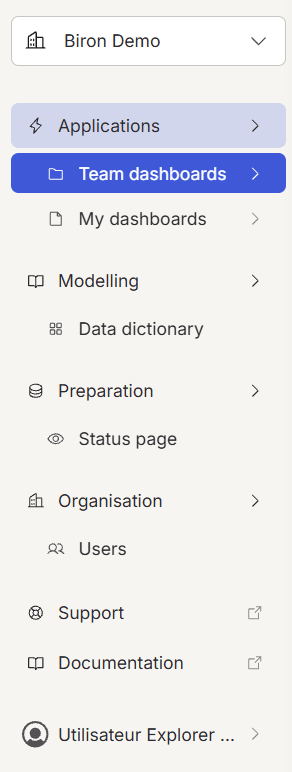
To make this work, we chose a two-level side panel: it shows enough information while keeping the interface clean.
The first level lets you switch between spaces at any time. The second gives you only what you need on the current page.
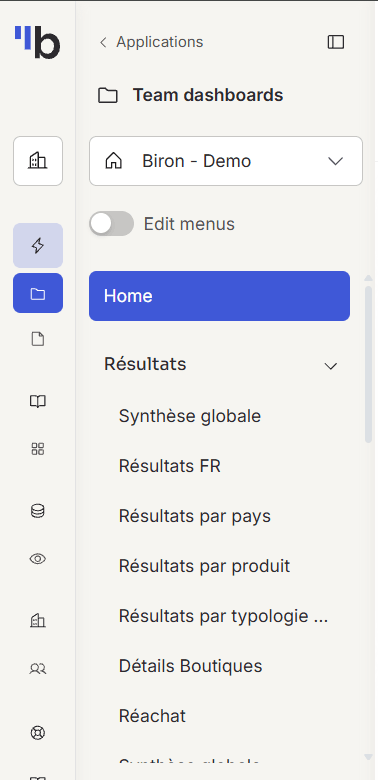
Of all these spaces, Applications is where this release brings the most new features.
Applications, to put your data to work
The Applications space brings together every way to use your Biron data:
- Platform: monitor your business directly in Biron.
- Team dashboards: shared dashboards, configured for each team.
- My dashboards: your own dashboards, built on the same data.
- API NexusQL: connect your tools directly to Biron’s trusted data.
- Integrations: get your Biron figures in the tools you already use.
- Excel and Google Sheets: your tables synced with the data dictionary, no exports needed.
- Zapier and n8n: plug in your Biron data to automate alerts, reports and goal tracking.
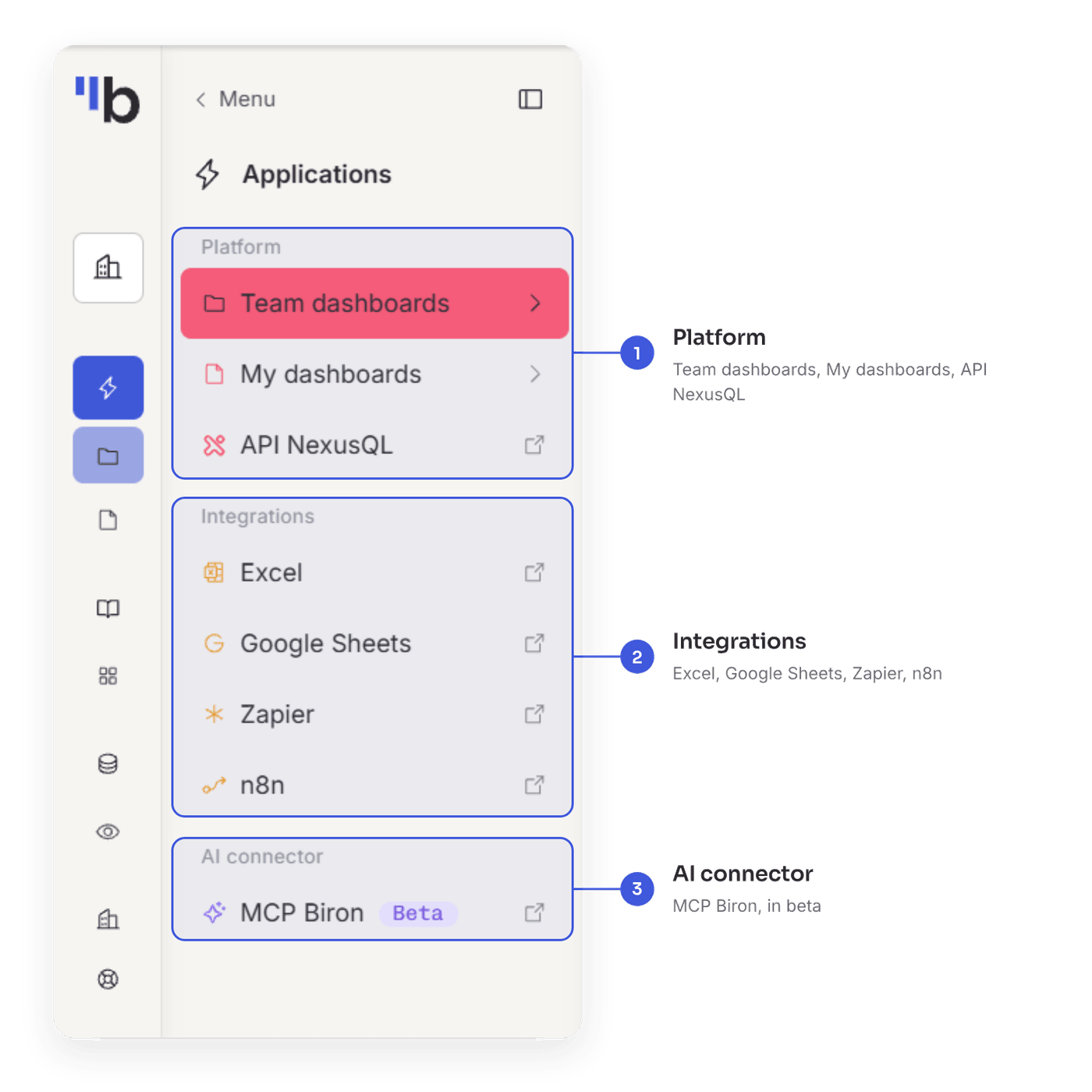
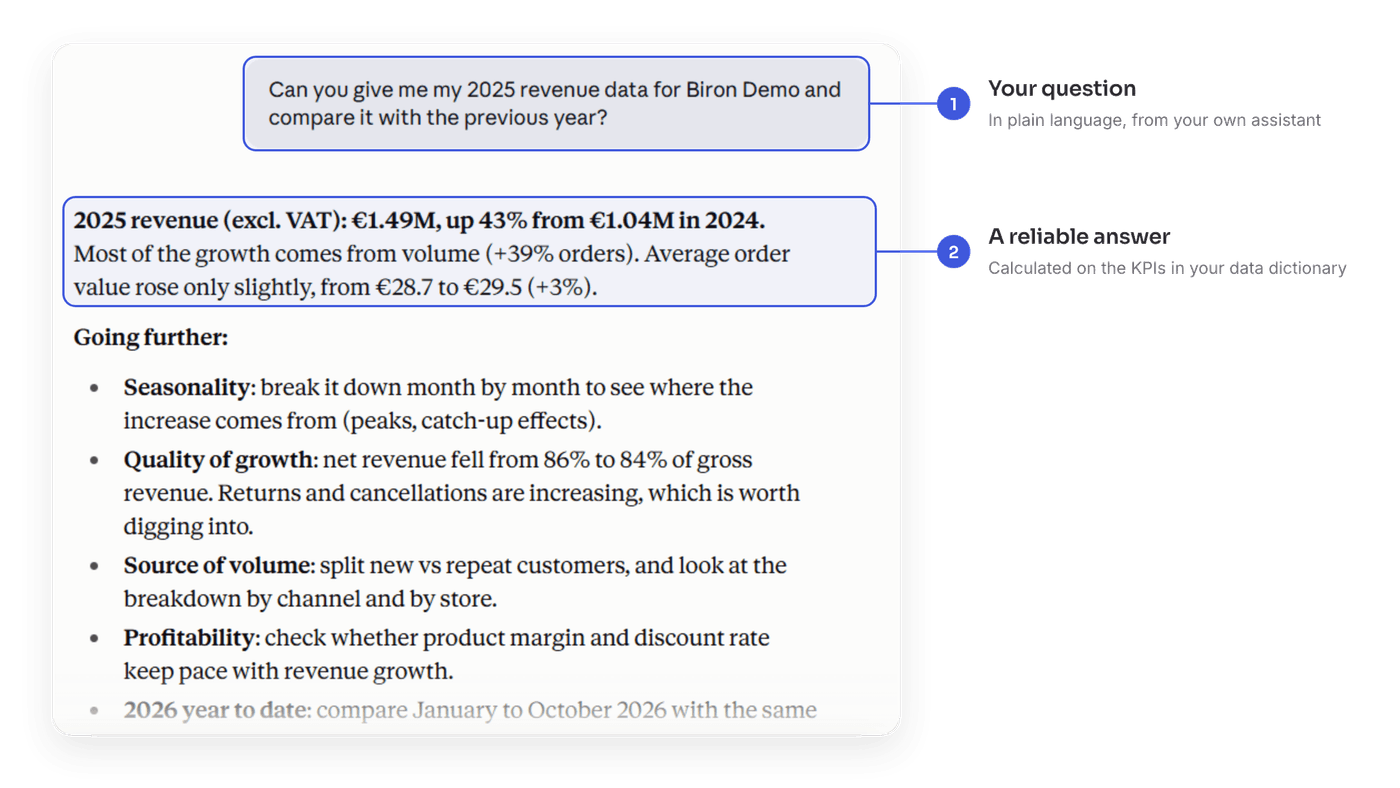
New: the AI connector, in beta. Ask your data questions from your own AI assistant. Answers are grounded in the KPIs from your data dictionary: same definitions, same figures as in your dashboards, for reliable analysis. It runs on MCP, the open industry-standard protocol for connecting an AI assistant to your data.
The beta is open now. Connect it to Mistral, ChatGPT or Claude, or directly to your coding agents.
The AI connector is offered as a beta. It may become a paid feature once the beta ends.
We’re also improving the integrations you already use.
In Google Sheets, Biron is faster on large workbooks. Many of your teams run their business in spreadsheets. Your workbooks, even large ones, now refresh much faster and more reliably.
Under the hood, the add-on now writes data in batches and saves each table as soon as it refreshes.
All these applications are accessible from the same clear, readable interface.
A clearer, more readable interface
Beyond navigation, we fully modernized the interface. Because your data is dense and deserves your full attention, we decluttered the app while keeping everything where you expect it.
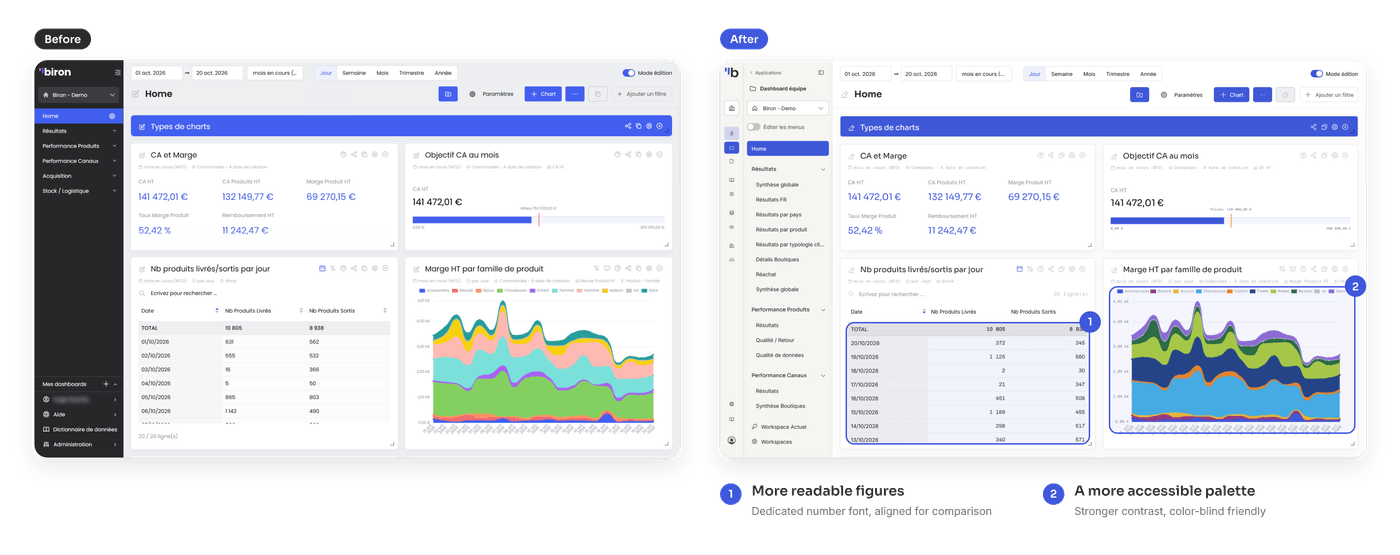
- A clearer, more accessible palette: colors reworked for readability, with stronger contrast and a palette suited to visual impairments such as color blindness.
- New fonts: an easier-to-read font for text, and a monospaced font for numbers. Every digit takes up the same width: units, tens and hundreds line up from one row to the next, so you can compare figures at a glance.
- Screens that are more pleasant to use: we reworked many details across
the app, for example:
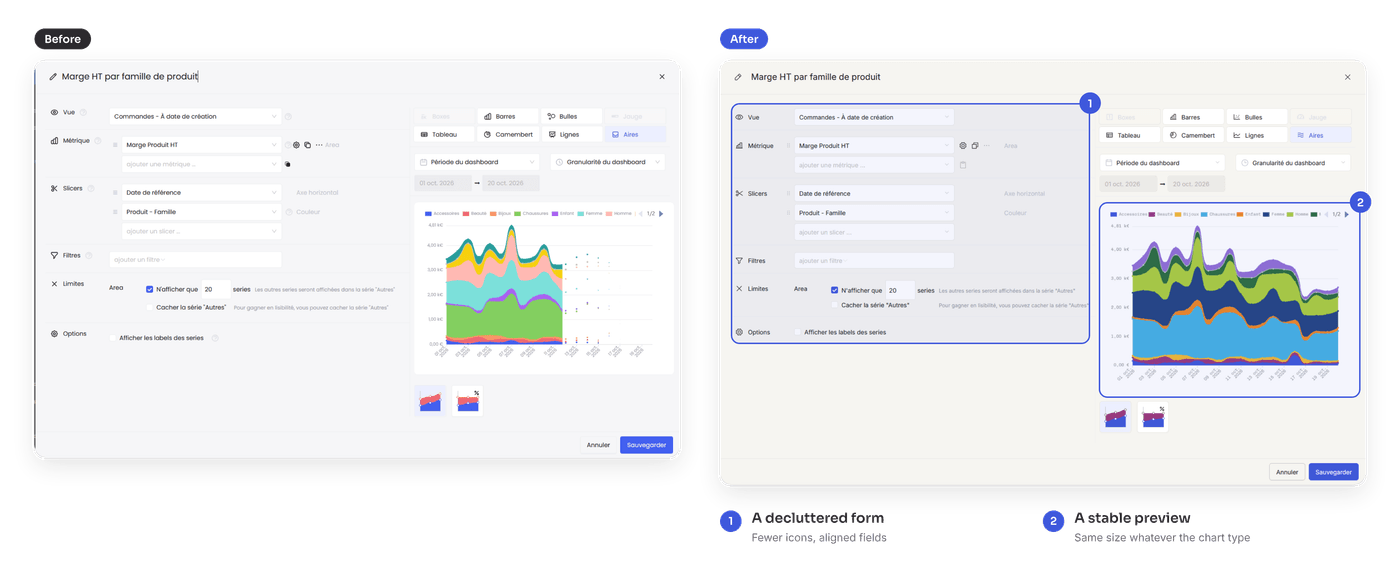
- Chart editor: fewer icons, aligned fields and a fixed-size preview, for a clearer and more pleasant form.
- Tables: a new font for figures, right-aligned. You see the gaps between rows instantly.
Conclusion
With this release, Biron shows everything it does for your data: navigation that gives you access to every space, applications to use your data wherever you work, and a clearer interface to read it.
It also lays the groundwork for what’s next.
Our next step: putting your data dictionary in your hands. Soon, you’ll be able to manage your definitions and create composite metrics, directly in Biron.
In the meantime, log in to discover the new interface.
To go further, the documentation is up to date, and your Biron contact can give you a guided tour of the new version.